
Part 2 – Implementing a Pi calculus menu system
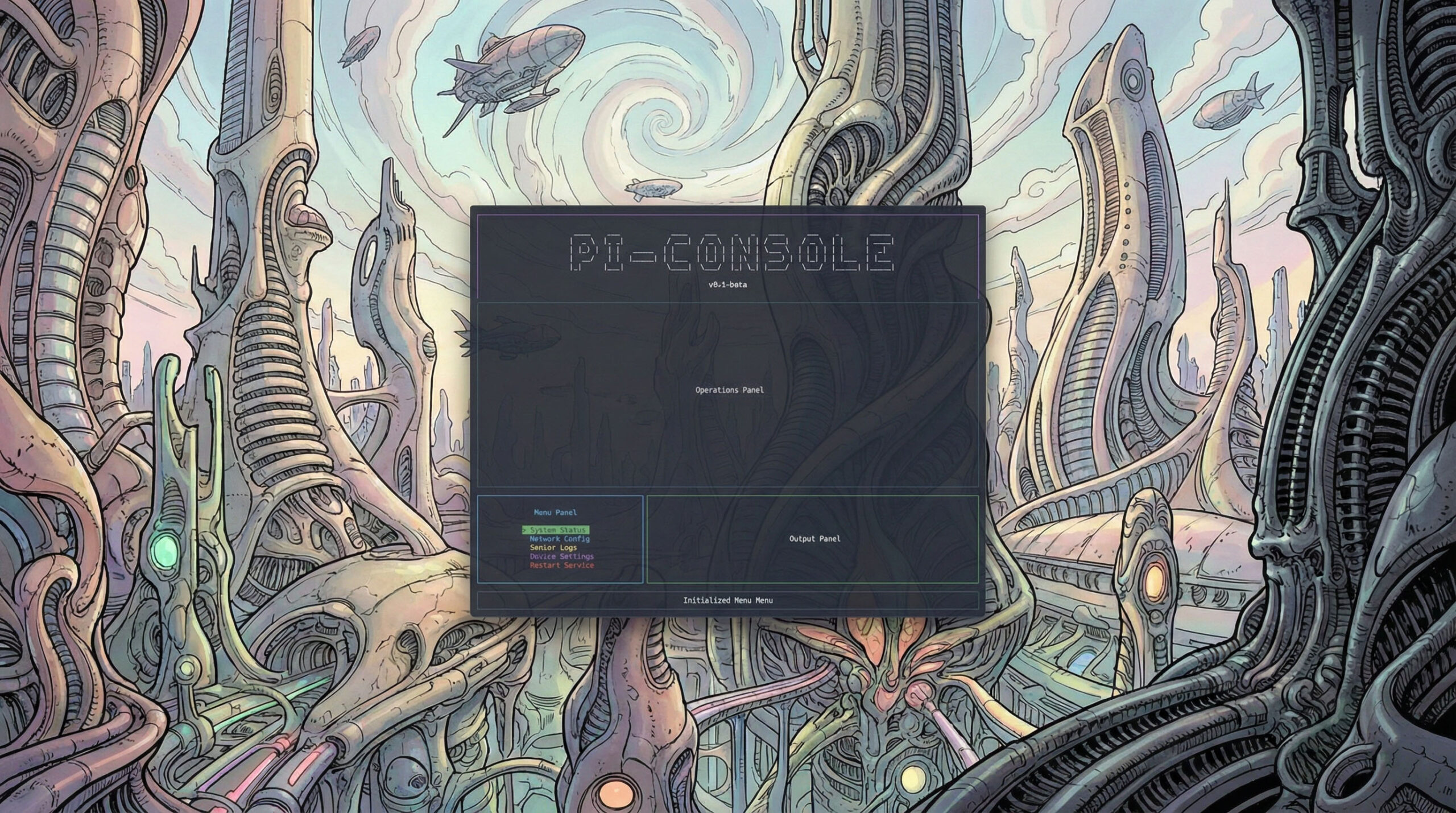
Working with console applications in .NET has come a long way, especially with libraries like Spectre.Console that make creating rich, dynamic terminal interfaces a breeze. Recently, I’ve been building a project called pi-console, a classic Bulletin Board System (BBS) style layout designed to run as a dashboard.
However, instead of hardcoding menus or statuses, I wanted to build something dynamic. What if the console itself was just a dumb display, and the content logic lived entirely in a home automation workflow tool like Node-RED?
Enter MQTT.
The Architecture of pi-console
At its core, pi-console is a decoupled dashboard:
- .NET 10 Framework: Runs the application engine and handles the execution loop.
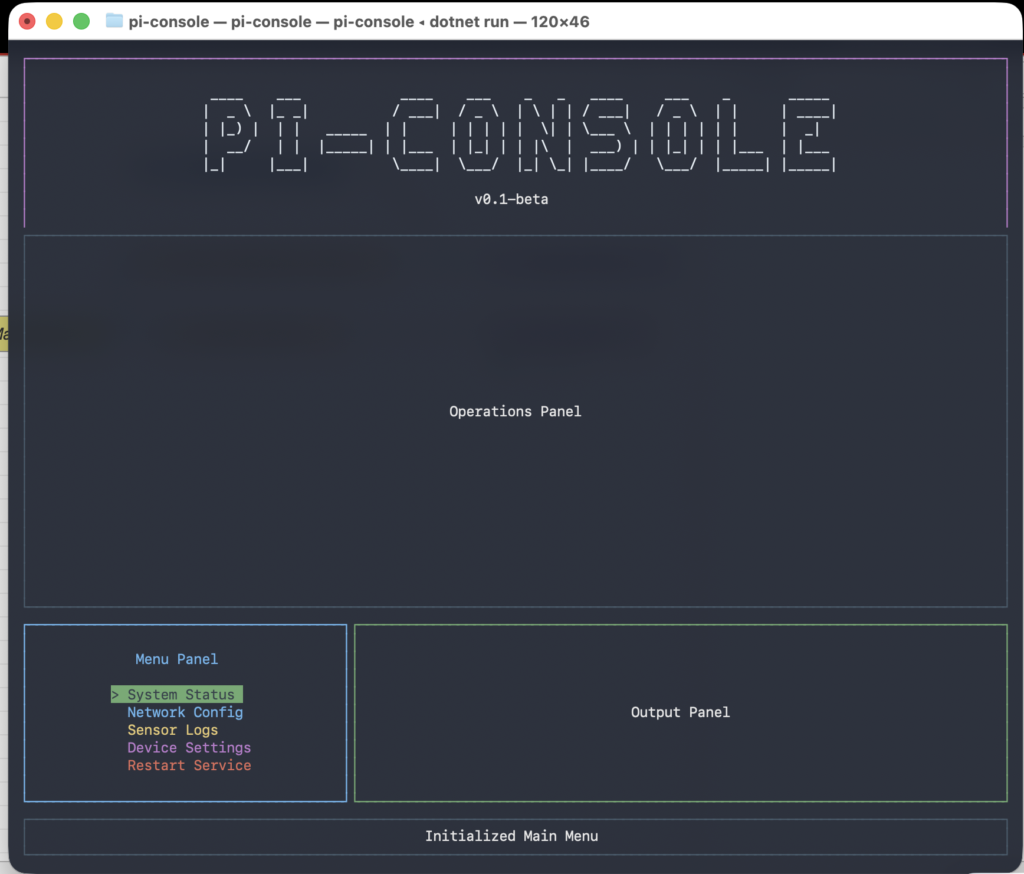
- Spectre.Console: Powers the layout management, splitting the screen into header, operations, menu, output, and status panels without breaking the terminal scroll buffer.
- MQTTnet: Allows the application to subscribe and publish to a remote MQTT broker.
When you boot up pi-console, it displays a sleek layout out of the box. But here’s the trick: the menu is completely empty, and the status bar is idling. It relies on MQTT to wake up.
Waking up the Console
When pi-console starts up, it announces itself to the MQTT broker by publishing a unique GUID to an initialization topic:
pi-console/initialize
Payload: "7f5407aa-cac5-4952-80ca-c73863d78fc4"
By broadcasting this initialization signal, the console informs any listeners that it is online and ready to receive instructions. That listener, in my setup, is Node-RED.
Driving the UI with Node-RED
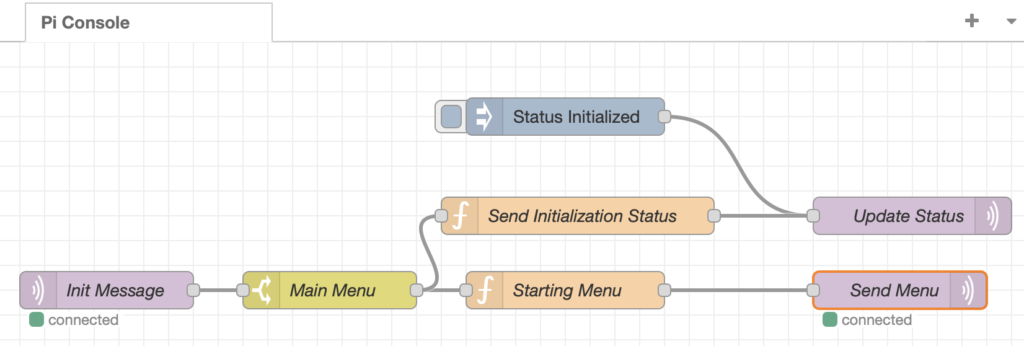
Node-RED serves as the brain for the console. It constantly listens to the pi-console/initialize topic. The moment it detects that the console has booted up (by seeing the GUID), Node-RED fires back a customized menu structure.
Node-RED publishes a JSON array back to the console on another topic: pi-console/menu/items.
Here is what the payload looks like:
[
    {
        "id": 1,
        "label": "System Status",
        "icon": "info",
        "color": "green"
    },
    {
        "id": 2,
        "label": "Network Config",
        "icon": "wifi",
        "color": "blue"
    },
    {
        "id": 3,
        "label": "Sensor Logs",
        "icon": "list",
        "color": "yellow"
    }
]
Parsing the Dynamic Menu
Back in .NET, the MqttService receives the payload on pi-console/menu/items. Because we defined a C# MenuItem model that matches the JSON schema, we can easily map the incoming data.
The service parses the array, sorts the items by their id property to maintain consistency, and raises a MenuItemsReceived event. The UI engine then immediately triggers a re-render.
Spectre.Console is remarkably fast and handles the redrawing gracefully. By leveraging the new color property from our JSON payload, the engine renders each item with native terminal colors ([black on green], [black on blue], etc.), providing an instant, vibrant menu dynamically driven entirely by Node-RED!
Live Status Updates
Menus aren’t the only thing that Node-RED controls. The footer panel of pi-console is designed as a raw system status display.
Node-RED can pipe data (like server health alerts, CPU usage, or sensor triggers) directly into the pi-console/status topic. Every time a new string payload hits that topic, the UI immediately patches the content of the bottom panel without dropping a frame on the screen.
Conclusion
Combining the rock-solid UI rendering of Spectre.Console, the reliable machine-to-machine messaging of MQTT, and the incredible orchestration power of Node-RED, pi-console has evolved from a static script into a highly responsive, remote-controlled smart dashboard.
If you want to try something similar or check out how I structured the C# MQTT integration, feel free to clone the repo on GitHub!


One thought on “Building a Dynamic Console UI with .NET 10, MQTT, and Node-RED”